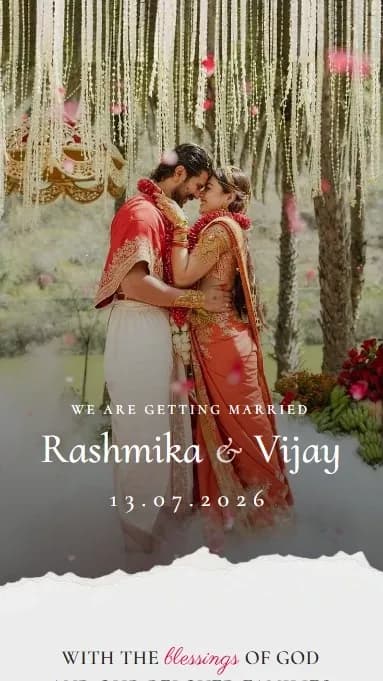
Create a wedding invitation you share as one WhatsApp link

Free. Add your photos and dates, get one link, share it on WhatsApp. No login.

Free to createMobile-friendlyNo login
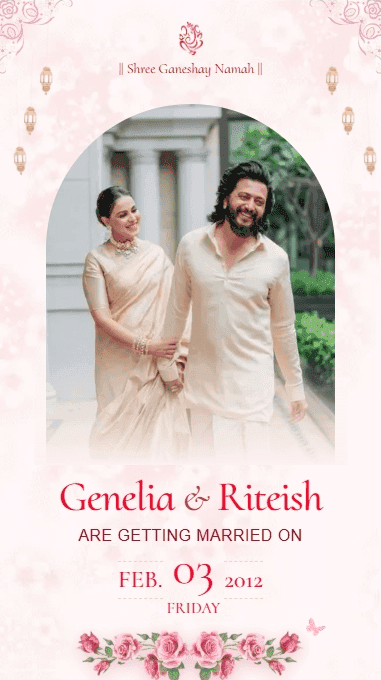
You've spent months thinking about the venue, outfits, music. The invitation is the first thing people will see.

It shouldn't feel like an afterthought.

Three steps. Nothing complicated.

01

Select

Choose a design

Browse templates and pick one that matches your style and vision.

02

Personalize

Add your details

Fill in your names, wedding date, venue, photos, and event schedule.

03

Share

Get your link instantly

Copy your unique link and share it via WhatsApp or text - ready in minutes.

Designs

Choose a design that feels like you.

See all designs Many more designs coming soon.

Why Patrika

It's about expressing
your moment.

Most invitations look the same because they are the same. Same layouts, same fonts, same feeling.

Patrika gives you something different: a space to shape how your wedding feels before it even begins.

Designed to feel intentional

Everything is structured to look balanced, elegant, and thoughtful without you designing anything.

Built for real sharing

Send it on WhatsApp or anywhere people already are.

No waiting, no back-and-forth

You create it once. It's ready instantly.

Made for you, not for 'everyone'

Every input changes the output. It's yours by default.

You're already excited
about your wedding.

Let your invitation carry that feeling.

Frequently Asked Questions

Everything you might want to know before you begin.

What is a digital wedding invitation?

A digital wedding invitation is a shareable link that presents your wedding details in a beautifully designed format. Instead of printing cards or sending card images, you send a single link that includes your names, dates, venue, and photos - accessible from any device.

Is Patrika free?

Yes. Creating and sharing a Patrika wedding invitation is currently free, and you don't need to sign up or log in.

What is a unique way to invite guests to an Indian wedding?

Send a personal invitation website instead of a card image. With Patrika, guests open one link on WhatsApp and see your photos, family names, haldi and wedding schedule, venue maps and background music. It reads like a small wedding website made just for you, and it takes about 5 minutes to create.

How does Patrika work?

Choose a design template, fill in your wedding details, upload your photos, and instantly get a unique link to your invitation. Share this link via WhatsApp, Instagram, email, or SMS - it takes just minutes from start to finish.

Can I make a Patrika invitation from ChatGPT or Claude?

Yes. Patrika has an MCP connector at patrika.site/api/mcp. Add it to an AI assistant that supports custom connectors, such as Claude, then give the assistant your names and ceremony details. It returns a private link where you add your photos from your phone and publish, and you get the same invitation the website makes. If you already have public photo links, the assistant can publish in one step.

Do I need to create an account or login?

No. You can create and share your invitation immediately without any signup. Just pick a design, fill in your details, and share the link.

How long does it take to create a wedding invitation?

Most couples finish in just 5 - 7 minutes. Select a design template, add your details, upload photos, and your shareable link is ready to send.

Do I need any design skills to make an invitation?

Not at all. The layouts are already professionally designed to look clean and balanced. You just add your information and photos - everything fits naturally into the design.

What information can I include in my digital wedding invitation?

You can personalize your invitation with couple names, wedding date and time, venue details with Google Maps link, photos, complete event schedule, and custom messages. Everything you need to inform and excite your guests.

Can I use my own photos in the invitation?

Yes! Upload your favorite couple photos and they'll be beautifully integrated into your chosen template, making your invitation truly personal.

Can I edit my invitation after creating it?

Currently, you can't edit invitations after creation since we don't require login or store your data. This keeps things simple and private. If you need to make changes, just create a new invitation - it only takes a few minutes. We're working on adding optional accounts soon for those who want to save and edit later.

Can I include RSVP or track guest replies?

Not yet, but this feature is coming soon! For now, you can include your contact details in the invitation so guests can RSVP directly via WhatsApp or phone.

Where can I share my digital wedding invitation link?

Anywhere you communicate with guests - WhatsApp, Instagram, Facebook, email, SMS, or wedding planning groups. The link works everywhere and requires no special apps.

Will my invitation work on mobile phones and tablets?

Yes! All invitations are mobile-first and optimized to look stunning on phones, tablets, and desktop computers. Your guests can view them anywhere, anytime, on any device.

What makes a good digital wedding invitation?

A great digital wedding invitation is personal, easy to read on mobile devices, includes all essential details (date, time, venue with map), loads quickly, and reflects your unique style as a couple. Our templates are professionally designed with all these elements in mind.

How long will my invitation link stay active?

Your invitation link stays active until 10 days after the last event on it, giving guests plenty of time to view the details. After that it is automatically taken down for your privacy.

How can I get help, request a feature, or share a suggestion?

Email us at suryanagare23@gmail.com. Whether you are stuck, want a design or feature we don't have yet, or just have an idea, we read every email.